Otter.ai Review: Is It Still the Best AI Meeting Transcription Tool?
Quick Verdict
- Rating: 4.0 / 5
- Best for: Remote professionals and small teams who live in Zoom, Google Meet, or Microsoft Teams and want automatic notes without extra admin work
- Pricing starts at: $8.33/user/month billed annually on Pro (free plan: yes, 300 minutes/month)
- Try it: Otter.ai official site →
If your calendar is wall-to-wall Zoom and Google Meet calls, taking your own notes means you’re either half-listening or missing the meeting entirely. Otter.ai was one of the first tools to fix that by auto-joining calls, transcribing them live, and turning the recording into a searchable summary with action items — no dedicated notetaker required.
What Is Otter.ai?
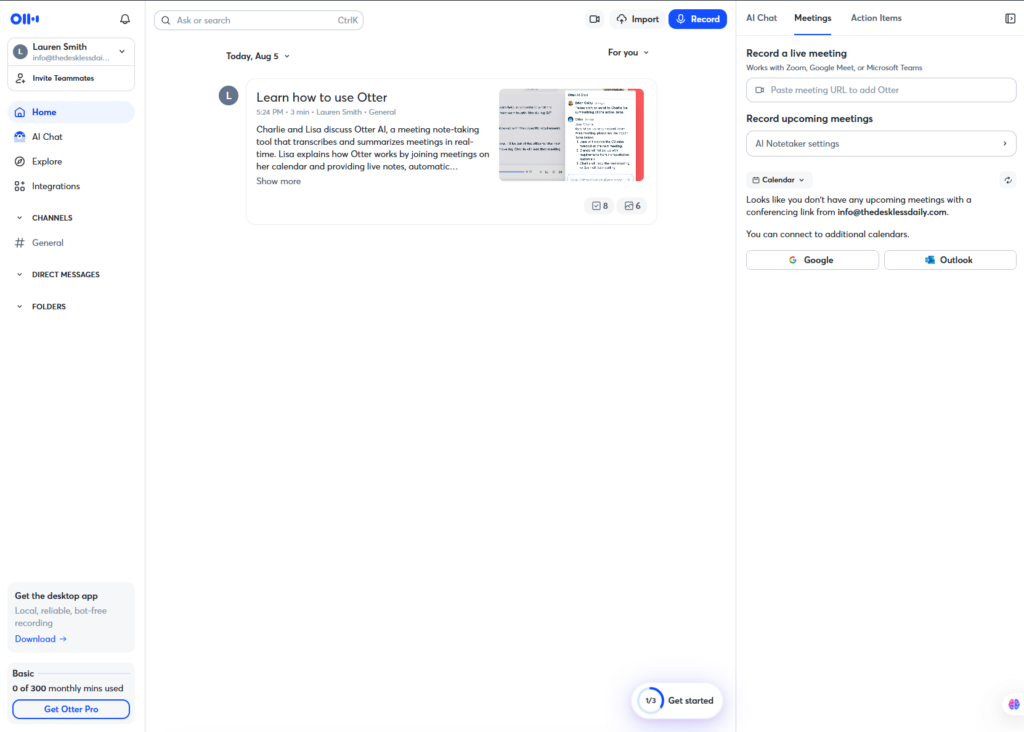
Otter.ai is an AI meeting assistant that records, transcribes, and summarizes conversations in real time. It integrates directly with Zoom, Google Meet, and Microsoft Teams, where its “OtterPilot” bot can join scheduled meetings automatically, capture the audio, and generate a structured summary — key topics, decisions, and follow-up action items — within minutes of the call ending. Otter says it has transcribed over a billion meeting minutes for users across sales, product, and executive teams, making it one of the most established names in AI transcription for remote and hybrid teams.
Key Features
- Live transcription & captions: Real-time captions during the call that every participant can see, useful for accessibility and for catching details you’d otherwise miss.
- OtterPilot auto-join: Automatically joins scheduled meetings on your calendar and starts recording without you lifting a finger.
- AI meeting summaries & action items: Generates a structured summary after every call and automatically detects follow-up tasks mentioned in conversation.
- Slide capture: Automatically screenshots presentation slides during screen-shares and drops them into the transcript at the right timestamp.
- AI Chat: A chat panel that answers questions about a single meeting or across your entire meeting history — handy for “what did we decide on X last month?” moments.
- Speaker identification & taggable speakers: Automatically labels who said what, and lets teams tag recurring speakers by name on paid plans.
Pricing
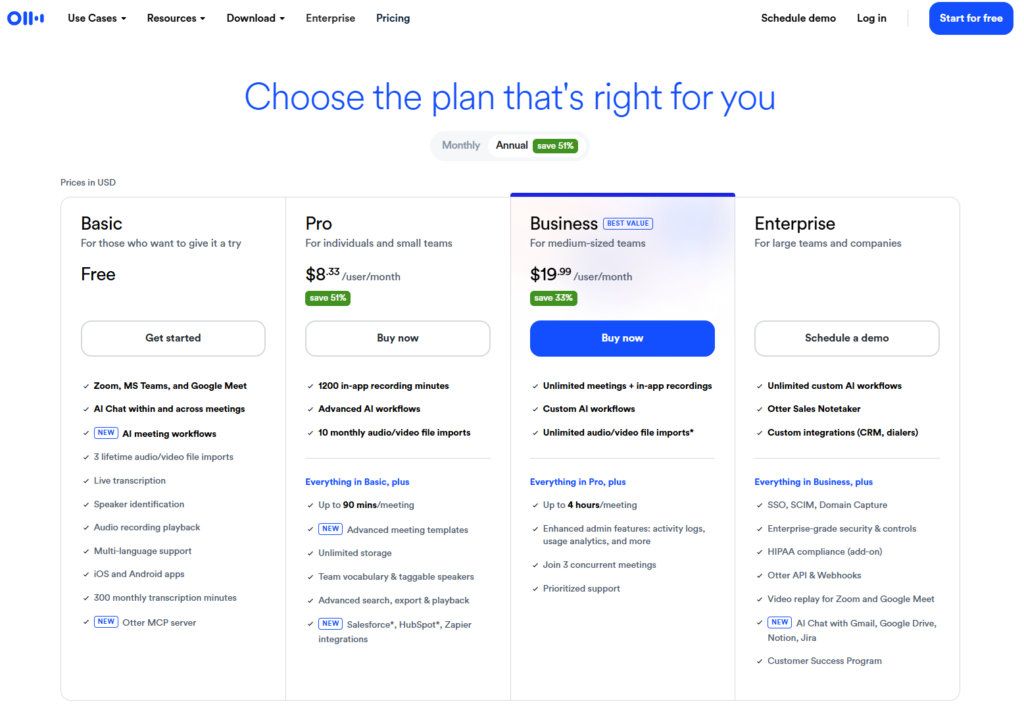
Otter.ai runs four tiers, all priced per user. Prices below are verified against Otter’s pricing page as of mid-2026 — the biggest catch across every plan is that monthly minutes are capped and don’t roll over, and each individual conversation also has its own maximum length regardless of how many monthly minutes remain.
| Plan | Price | Best For |
|---|---|---|
| Basic | Free — 300 min/month, 30 min/meeting cap | Trying Otter with light, occasional meetings |
| Pro | $16.99/mo ($8.33/mo billed annually) — 1,200 min/month, 90 min/meeting cap | Individual professionals with regular meetings |
| Business | $30/user/mo ($19.99/user/mo billed annually) — unlimited minutes, 4-hr/meeting cap | Small-to-medium teams with heavy meeting loads |
| Enterprise | Custom pricing | Large orgs needing SSO, HIPAA add-on, and API access |
Pros and Cons
✅ Pros
- Accurate real-time transcription with minimal setup across Zoom, Teams, and Google Meet
- OtterPilot auto-join removes the need to remember to hit “record”
- Free tier is generous enough to genuinely test the product before paying
❌ Cons
- Every paid plan below Business still has a monthly minute cap that doesn’t roll over
- Language support is limited to English, French, and Spanish
- CRM integrations (Salesforce, HubSpot) are more limited than sales-focused competitors
Who It’s For
Otter.ai fits remote professionals and small teams who spend most of their day in back-to-back video calls and want notes, summaries, and action items handled automatically. It’s a particularly strong fit for solo operators and ops-minded remote workers who need a reliable record of standups, client calls, and 1-on-1s without hiring a notetaker or manually reviewing recordings after the fact.

Alternatives to Consider
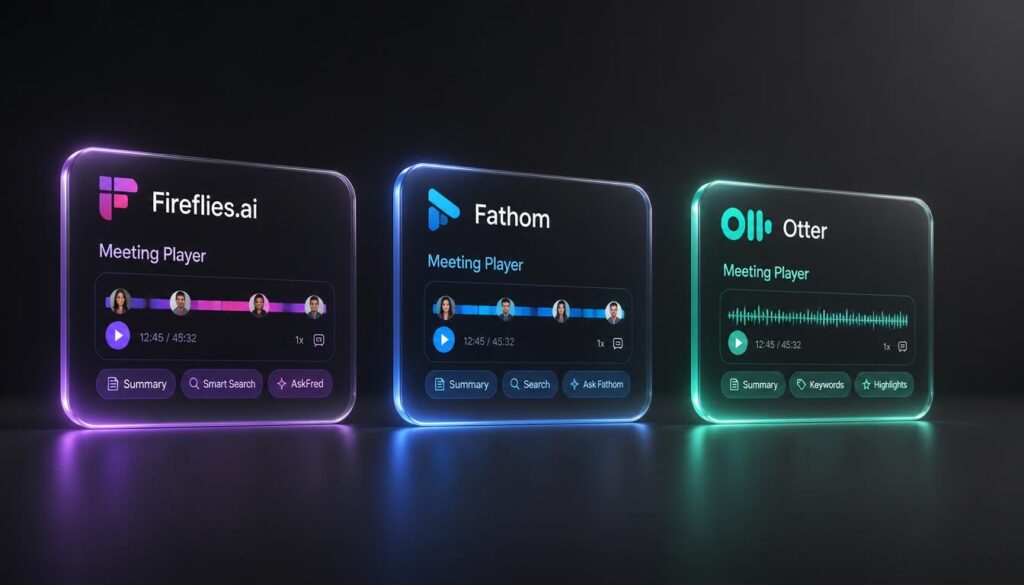
- Fireflies.ai — a more generous free tier (800 minutes/month vs. Otter’s 300) and stronger CRM integrations, making it a better fit for sales-heavy teams.
- Fathom — a free-forever plan with unlimited recordings, though with fewer admin and workflow features than Otter’s Business tier.
Final Verdict

Otter.ai remains one of the easiest ways to get reliable, real-time meeting transcription and summaries without changing how your team runs calls. It’s not the cheapest or the most CRM-friendly option on the market, but for remote workers and small teams who just want their meetings documented automatically, it’s still a 4-out-of-5 pick — especially once you’re on Pro or Business, where the minute caps stop getting in the way.




Pingback: Slack AI Review: Are the New AI Features Worth the Upgrade?