Your calendar says you have four meetings today. Two of them are status updates where three people talk and everyone else opens Slack under the table. One is a “quick sync” that could have been a two-line message. By Friday you’ll have spent 12+ hours in meetings this week — the average for remote workers in 2026 — and maybe two of those hours produced anything that couldn’t have happened in writing.
Async-first doesn’t mean async-only. Some conversations genuinely need real people talking in real time — a hard decision with conflicting views, a sensitive 1:1, a messy brainstorm. This playbook is about correctly sorting your recurring meetings into “keep live” and “make async,” then building the small amount of tooling and team habit that makes the async half actually stick. Teams that run this audit properly report cutting recurring meeting load by roughly 40%.
The Framework
- Audit every recurring meeting and sort it into Keep, Kill, or Go Async
- Replace status/standup meetings with an async check-in tool or a disciplined Slack thread
- Replace review and demo meetings with short recorded async videos
- Write a one-page async charter: core overlap hours, response-time norms, when to escalate to a live call
- Protect the meetings that genuinely need to stay live — and say so explicitly, so no one feels guilty booking them
Time to set up: ~2 hours for the audit and charter, one week to bed in the habit · Cost: $0 to test, ~$3–20/user/month if you add dedicated tools · Skill level: no code required
Step 1: Audit Your Recurring Meetings
Before touching any tool, list every recurring meeting on the team calendar and sort it. Most teams find that daily stand-ups are their single highest-volume meeting category — and the easiest to move async first. Use this to sort your own list:
| Meeting type | Default | Why |
|---|---|---|
| Daily/weekly status stand-up | Go async | No debate happens; it’s a status broadcast that works fine as text or a short video |
| Project demo / show-and-tell | Go async | A recorded walkthrough can be watched at 1.5x on anyone’s schedule, and it’s rewatchable |
| 1:1 check-ins | Keep live | Tone, trust, and reading the room matter; text loses too much here |
| Decision meetings with real disagreement | Keep live | Written back-and-forth on a contested decision is slower and more brittle than one 30-minute call |
| Brainstorms / working sessions | Keep live (or hybrid) | Ideas need to collide in real time; async works better for the write-up after |
| All-hands / town hall | Go async, live Q&A optional | A recorded briefing plus an open written thread covers most of the value at a fraction of the calendar cost |
| “Quick sync” with no agenda | Kill | If no one can write the agenda in one sentence, it isn’t a meeting yet |
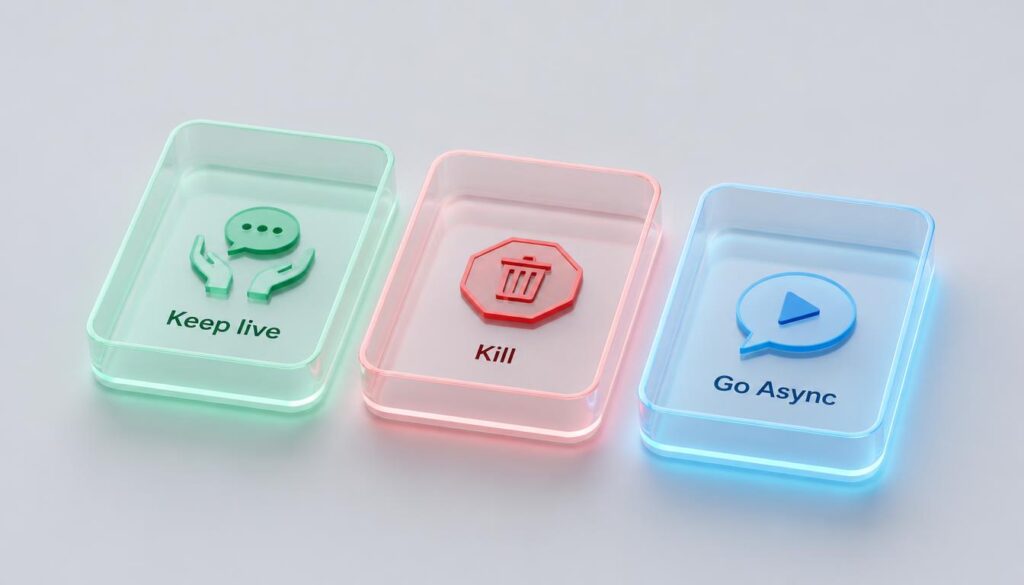
Run this audit with the actual meeting owners in the room (or thread), not unilaterally — you need buy-in on what’s changing, not just a memo announcing it.
Step 2: Replace Status Meetings With an Async Standup
This is the highest-leverage swap on the list because it’s the highest-frequency meeting on most calendars. Three ways to do it, cheapest first:
| Option | Cost | Best for |
|---|---|---|
| Plain Slack thread (3 fixed questions, posted daily by each person) | $0 | Small teams with discipline — no tool, but relies entirely on habit |
| Geekbot | Free up to 10 users; ~$2.50–3/participant/mo above that | Slack/Teams-native teams who want automated prompts and reporting without a new app |
| DailyBot | ~$3.50/user/mo | Teams that also want kudos/recognition and mood check-ins bundled in |
| Range | Free trial, then priced above Geekbot per user | Teams that want check-ins tied to goals and OKRs, not just status |
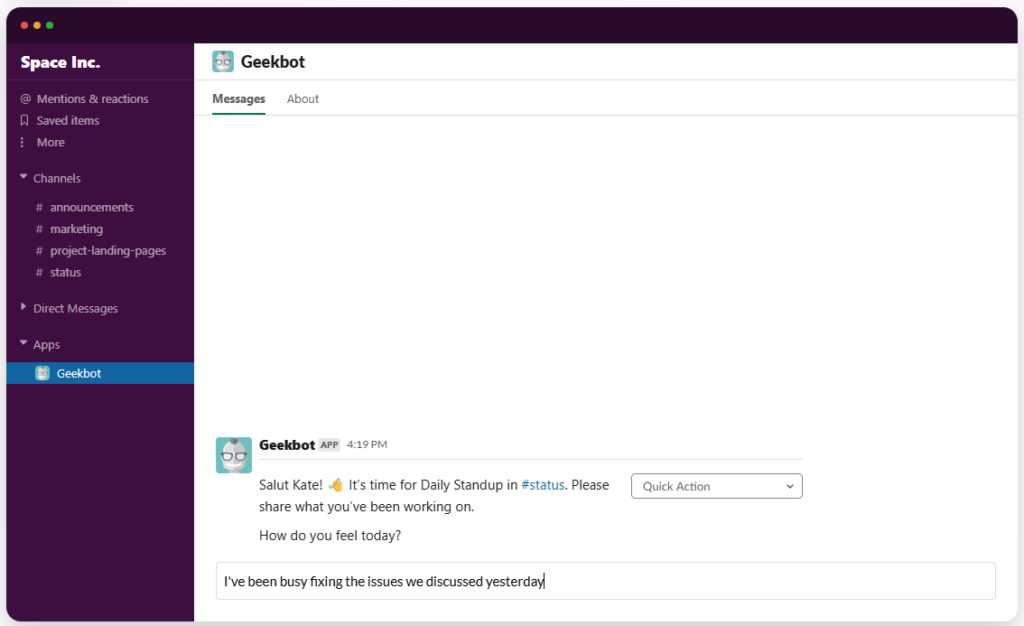
Whichever option you pick, keep the question set to three: What did you finish? What are you doing today? What’s blocking you? More questions kill participation within two weeks.
Step 3: Replace Demos and Reviews With Async Video
A live demo meeting forces everyone onto one schedule to watch one person click through a screen. A 3–5 minute recorded walkthrough does the same job and can be watched at 1.5x, rewound, and shared with anyone who missed it. Async video tools report meeting-load reductions of up to 29% once teams adopt them properly, with the majority of users scheduling fewer calls within a few months.
| Plan | Price | Best for |
|---|---|---|
| Loom Starter | Free (25 videos, 5 min each) | Testing the habit before you commit |
| Loom Business | ~$15–18/user/mo | Unlimited recordings, custom branding, analytics on who actually watched |
| Loom Business + AI | ~$20–24/user/mo | Auto-generated titles, summaries, and chapters if your team records a lot of long-form walkthroughs |
| Built-in screen recording (native OS or Zoom cloud recording) | $0 (already paid for) | Occasional recordings where you don’t need editing, chapters, or view analytics |
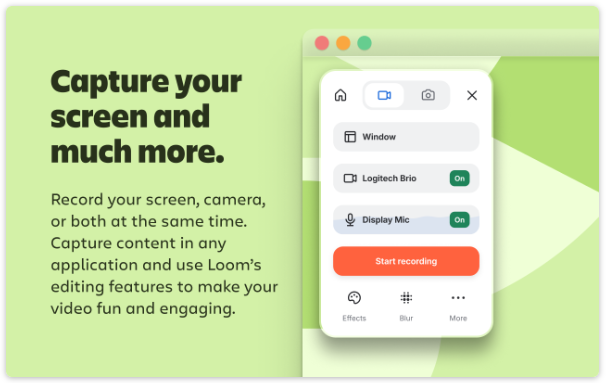
One habit matters more than the tool: track the view rate, not just whether the video got recorded. A recorded update nobody watches saves zero time — it just moves the neglect from a meeting to a video library. If view rates drop, that’s a signal the update itself isn’t needed, not that you need a better tool.
Step 4: Write a One-Page Async Charter
The tools only work if everyone agrees on the norms around them. Put this on one page, pin it in your team’s main channel, and revisit it after a month:
- Core overlap hours — the 2–4 hours a day everyone is expected online for anything genuinely urgent.
- Response-time norms by channel — e.g. Slack DM within a few hours during work hours, email within a day, async video/doc comments within 24 hours.
- Escalation rule — if a written thread goes back and forth more than three or four times without resolving, stop and book a 15-minute call instead. Async is not a rule you die on.
- Who owns which meeting — the person who kept a meeting on the calendar after the audit is accountable for it having a written agenda every time.

Step 5: Protect What Should Stay Live
Async-first teams that go too far end up right back where they started — just with worse decisions made over slower, more misread Slack threads. Say out loud which meetings are staying, and why, so nobody feels like they’re breaking a rule by booking a real conversation:
- Any decision where two or more people currently disagree
- 1:1s, performance conversations, and anything requiring tone and trust
- Onboarding a new hire’s first two weeks — async-only is disorienting before someone has context
- Creative brainstorms where ideas need to build on each other in real time
Common Mistakes to Avoid
- Cutting meetings without replacing the update. If the status meeting dies but no one posts the async version, information just disappears — that’s not async-first, that’s a communication gap.
- Rolling it out to everyone at once. Pilot the swap with one team or one meeting for two weeks before making it company policy.
- Measuring meetings recorded instead of meetings avoided. Track the calendar hours actually freed up, not how many videos got made.
- No response-time norm. Async without an agreed response window turns into “everything is urgent because nothing has a deadline.”
- Treating async as a cost-cutting mandate instead of a default. Framing it as “we’re removing your meetings” breeds resentment; framing it as “we’re giving decision-makers their calendar back” gets buy-in.
FAQ
Will async-first slow down decisions?
Simple, low-stakes decisions actually move faster async because no one waits for a calendar slot. Contested or high-stakes decisions are the exception — keep those live, per Step 5, and you avoid the slowdown entirely.
How do I get buy-in from people who like meetings?
Pilot on one recurring meeting, measure the hours it freed up after two weeks, and show the number. Most resistance is about trust that the information will still flow, not attachment to the meeting itself — solve the trust problem with a visible async update, not an argument.
Do I need to buy new tools to go async-first?
No. A disciplined Slack thread and your existing screen-recording tool cover the first month. Add a dedicated async-standup or video tool once the habit sticks and you know which gaps a plain thread or built-in recorder actually leaves.
How do I know if the audit actually worked?
Compare calendar hours in recurring meetings before and after, four weeks apart. Teams that run the audit properly and stick to the charter typically cut recurring meeting time by somewhere around a third to 40% without losing decision quality.
Related reading: for the tools that make the async written and recorded updates capture decisions and action items automatically, see How to Automate Meeting Notes and Follow-Ups With AI (Step-by-Step).
The Bottom Line
Async-first isn’t about deleting your calendar — it’s about being deliberate over which conversations actually need everyone in the same room at the same time. Audit honestly, replace the status meetings first, write the one-page charter so the norms don’t erode in week three, and keep the meetings that genuinely earn their slot. Do that and most teams get a real third of their meeting hours back within a month, with nothing important lost in the swap.




Pingback: The Async Communication Playbook: Rules for Remote Teams