Zapier vs Make vs Power Automate: Best Automation Tool for Small Teams (2026)
Quick Verdict
- Pick Zapier if: you want the broadest app library and the lowest setup effort, and you’re comfortable paying a premium for that simplicity.
- Pick Make if: your workflows have real branching logic or data transformation, and you want more automation per dollar in exchange for a steeper learning curve.
- Pick Power Automate if: your team already runs on Microsoft 365, SharePoint, or Teams, and you want automation that’s effectively bundled into tools you’re already paying for.
- Cheapest paid entry: Make Core at roughly $10.59/month billed annually
Every operations lead eventually hits the same wall: too many manual handoffs between apps, and not enough hours to keep doing them by hand. Zapier, Make, and Power Automate all promise to fix that, and all three genuinely can — but they’re built on different assumptions about who’s doing the building and how complex the workflow gets. Zapier bets on ease of use above everything else. Make bets that you’ll trade a bit of a learning curve for cheaper, more flexible automation. Power Automate bets you’re already living inside Microsoft 365 and just want your existing subscription to do more. Pick based on your team’s actual apps and skill level, not on whichever one your last SaaS newsletter recommended, and you’ll avoid paying for a tool that fights your workflow instead of running it.
Zapier vs Make vs Power Automate: At a Glance
| Zapier | Make | Power Automate | |
|---|---|---|---|
| Best for | Non-technical teams wanting the broadest app library | Complex, branching workflows on a tighter budget | Teams already standardized on Microsoft 365 |
| Free plan | 100 tasks/month, single-step Zaps only | 1,000 operations/month, full scenario builder | 30-day trial only — no perpetual free plan |
| Cheapest paid tier | Professional: $19.99/mo (billed annually), 750 tasks | Core: ~$10.59/mo (billed annually), 10,000 operations | Premium: $15/user/mo (billed annually) |
| Team tier | Team: $69/mo, 2,000 tasks, up to 25 users | Teams: ~$34/mo, shared workspaces & higher op limits | Process (unattended RPA): $150/bot/mo |
| App/connector count | 8,000+ integrations | 2,000+ integrations | 1,000+, deepest inside Microsoft 365 & Dynamics |
| Workflow logic | Linear, step-by-step (Paths for basic branching) | Visual flowchart — routers, iterators, aggregators | Mix of linear flows and Power Apps/Dataverse logic |
| Learning curve | Easy — built for non-technical admins | Moderate — rewards visual/systems thinking | Moderate — easiest for existing Microsoft admins |
Pricing verified against each vendor’s live pricing page as of September 2026. Monthly (non-annual) billing runs 20-40% higher across all three vendors — check each one’s own pricing page for the current month-to-month rate before committing to annual billing.
Zapier: Best for the Broadest App Library and Zero Learning Curve
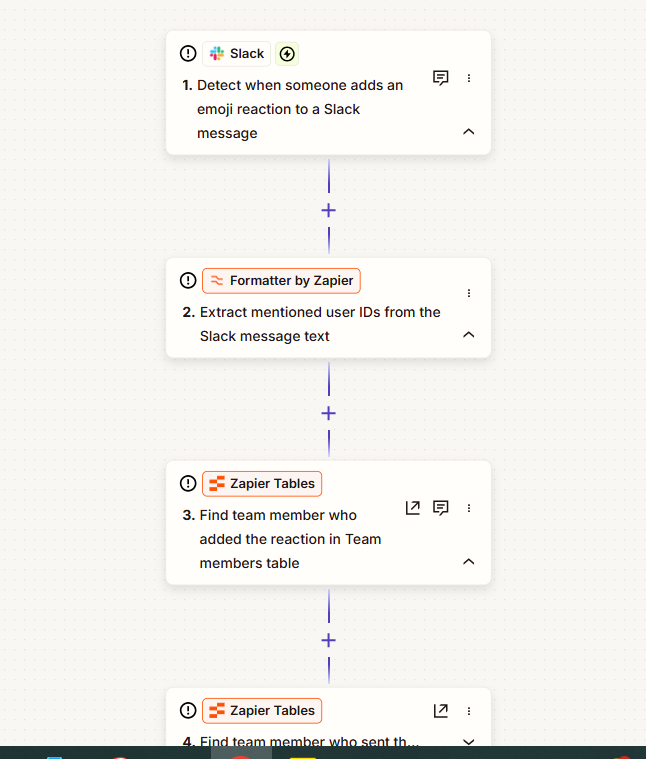
Zapier’s whole pitch is that almost any app you already use is supported, and that a non-technical operations lead can wire two of them together in minutes without touching a flowchart. That’s not marketing spin — with 8,000+ integrations, it genuinely covers more mainstream and niche SaaS tools than either competitor, and its linear, step-by-step builder (“when this happens, do this”) is the easiest of the three to hand off to someone who isn’t going to think in branches and routers.
- Strongest at: integration breadth and the lowest setup friction — most non-technical teams are productive in their first session
- Free plan reality: 100 tasks/month sounds workable until you realize free-tier Zaps are limited to a single action step — most real automations need at least two or three
- Watch out for: pricing scales on task volume, and task counts climb faster than expected once a workflow has several steps — Professional’s 750 tasks/month can disappear quickly for a team automating aggressively
Make: Best for Complex Workflows on a Tighter Budget
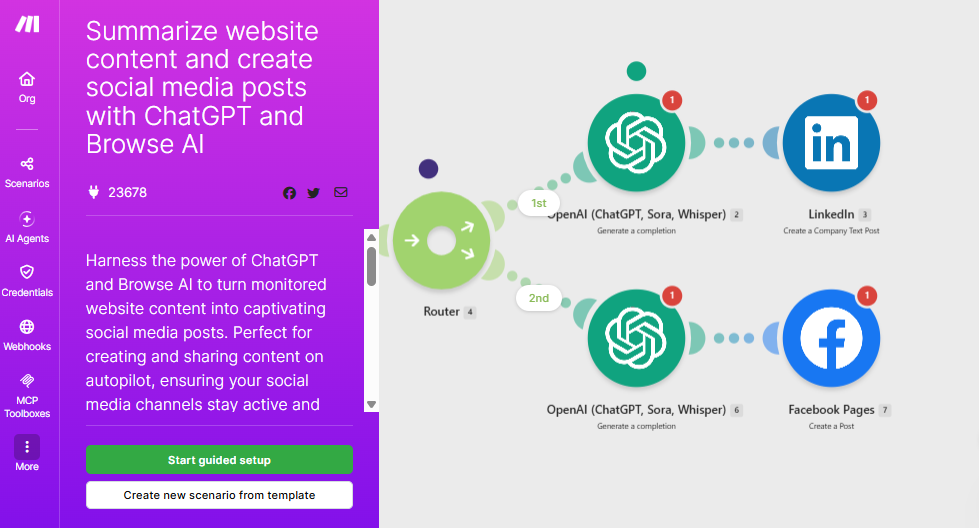
Make (formerly Integromat) trades some of Zapier’s simplicity for a visual, node-based canvas that handles genuinely complex logic — routers that branch on multiple conditions, iterators that loop through arrays, aggregators that combine several inputs into one output. Workflows that would need several chained Zaps in Zapier often live comfortably as a single Make scenario, and because Make bills by operation rather than by task, that complexity usually costs less per month than the Zapier equivalent.
- Strongest at: multi-branch logic, data transformation, and per-dollar automation volume for complex scenarios
- Free plan reality: 1,000 operations/month with full access to the scenario builder — genuinely useful for testing real workflows, not a stripped-down demo
- Watch out for: the visual, flowchart-style builder has a real learning curve — teams used to Zapier’s linear format need time to think in routers and modules, and a mis-mapped scenario can silently burn operations
Power Automate: Best for Teams Already Living in Microsoft 365
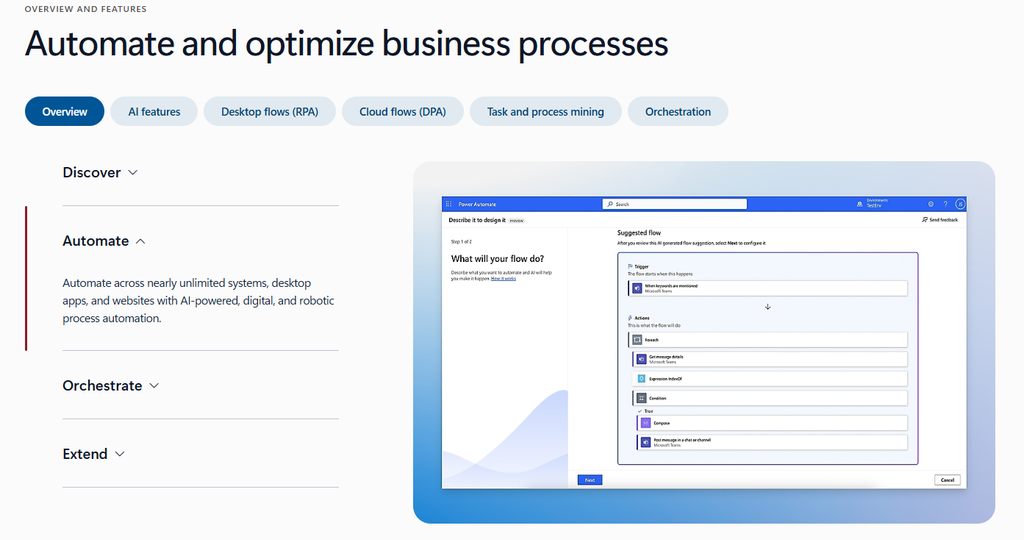
Power Automate’s advantage isn’t raw integration count — at 1,000+ connectors it trails both Zapier and Make — it’s depth inside the Microsoft ecosystem. If your team’s daily tools are Outlook, SharePoint, Teams, and Dynamics, Power Automate reaches into all of them more natively than a third-party tool ever will, and some entry-level automation is already bundled into certain Microsoft 365 plans. Its Premium tier also opens the door to attended desktop RPA (robotic process automation) for legacy, UI-based apps that don’t have a modern API at all — something neither Zapier nor Make offers.
- Strongest at: native Microsoft 365/Dynamics automation and RPA for legacy desktop apps without APIs
- Free plan reality: there’s no perpetual free plan — just a 30-day trial — though basic flows may already be included with some Microsoft 365 subscriptions
- Watch out for: licensing gets complicated fast outside the Microsoft stack — unattended RPA runs per-bot ($150-215/month) rather than per-user, and standalone pricing rarely beats Zapier or Make if Microsoft 365 isn’t already your operating system
Which One Should You Actually Pick?

Choose Zapier if…
- You want the widest possible app coverage and don’t want to think about routers or modules
- A non-technical admin or founder needs to build and maintain automations solo
- Your workflows are mostly simple, linear handoffs between two or three apps
Choose Make if…
- Your workflows have real branching, loops, or data transformation that Zapier makes painful
- You automate enough volume that per-operation pricing beats per-task pricing
- Someone on the team is comfortable with a visual, systems-thinking builder
Choose Power Automate if…
- Your company already runs on Microsoft 365, SharePoint, Teams, or Dynamics
- You need to automate a legacy desktop app that has no modern API (RPA)
- IT or a Microsoft admin already owns your software licensing decisions
Frequently Asked Questions
Which one is cheapest overall?
Make is usually the cheapest for real usage because it bills per operation rather than per task, and its entry paid tier costs less than Zapier’s. Power Automate can be effectively free if your team already holds the right Microsoft 365 license, but standalone pricing (especially unattended RPA at $150+/bot/month) can outrun both competitors fast.
Can I switch between them later without starting over?
Not directly — none of the three import another’s workflows automatically. Moving from Zapier to Make (or vice versa) means manually rebuilding each automation, though the underlying triggers/actions concepts translate well enough that rebuilding is usually faster than the original build.
Do I need to pick just one?
No — plenty of small teams run Zapier for simple day-to-day connections and Make (or Power Automate) for a handful of more complex workflows. The main cost isn’t the second subscription, it’s the mental overhead of remembering which tool owns which automation, so keep the split intentional rather than accidental.
Is Power Automate worth it if we’re not fully on Microsoft 365?
Usually not. Its integration list outside the Microsoft ecosystem is the thinnest of the three, and its pricing model (per-user Premium plus per-bot RPA add-ons) is built around organizations that are already deep in Microsoft licensing. If Microsoft 365 is just one app in your stack rather than the whole stack, Zapier or Make will almost always fit better.
Final Verdict

There’s no universal winner because these three tools optimize for different teams. If you want the broadest app coverage and the least setup friction, Zapier is worth the premium. If your workflows have real complexity and you’re comfortable with a steeper learning curve in exchange for better value at volume, Make usually wins on cost per automation. And if Microsoft 365 already runs your business, Power Automate’s native depth — plus RPA for the legacy apps nothing else can touch — makes it the practical default rather than a third-party add-on. Start with a free trial on whichever matches your actual app stack today; all three offer one, so there’s no real cost to testing before you commit to a paid plan.