The average knowledge worker spends close to a quarter of their week writing something — emails, proposals, Slack updates, blog posts, onboarding docs — and remote teams write even more of it, because writing is how distributed teams replace the hallway conversation. AI writing tools didn’t just get faster at producing sentences; the good ones now hold a team’s voice, tone, and terminology consistent across dozens of writers who’ve never sat in the same room.
This guide breaks down what these tools actually do differently from one another, what to check before you commit a team budget to one, and how the category’s leading names — ChatGPT, Claude, Notion AI, Jasper, Copy.ai, Grammarly, and Writer — compare. This is the first post in our AI Writing & Content Tools series. Over the next few weeks we’ll publish hands-on reviews of individual tools and a head-to-head comparison — bookmark this page as your starting point and we’ll link everything back here as it goes live.
Why AI Writing Tools Matter More for Remote Teams
In an office, a new hire can lean over and ask “how do we usually phrase this to clients?” On a distributed team, that question either goes unanswered or gets asked in a Slack channel three time zones can’t see at the same moment. AI writing tools close that gap in three concrete ways:
- Brand voice stops living in one person’s head. Tools with brand-voice or style-guide features let you encode “how we sound” once and apply it across every writer on the team, not just the person who’s been there five years.
- First drafts stop being the bottleneck. A blank page that used to cost someone 45 minutes now costs five — freeing up time for the editing and judgment calls a tool still can’t make for you.
- Async communication gets clearer, not just faster. A well-written update, memo, or doc is what makes async work at all. Tools that tighten clarity and tone directly reduce the back-and-forth a distributed team can’t afford.

What to Look for Before You Pick One
Not every tool in this category solves the same problem. Before you commit to one, weigh it against these five criteria:
- Generation vs. editing: Some tools draft from scratch (ChatGPT, Claude, Jasper, Copy.ai); others only improve text you’ve already written (Grammarly). Know which problem you actually have before you pay for the wrong one.
- Brand voice and style-guide controls: If more than one person on your team writes customer-facing content, look for tools that let you define tone, terminology, and do’s-and-don’ts once and enforce them automatically (Jasper, Writer are strongest here).
- Where the tool lives: A browser extension that follows you into Gmail and Slack (Grammarly) solves a different problem than an AI baked into your team’s existing docs and wiki (Notion AI). Pick the one that matches where your team already writes.
- Collaboration and workflow features: For marketing or GTM teams, check whether the tool pushes content into your CRM, project tool, or publishing workflow, or if it’s a standalone chat window you have to copy-paste out of.
- Pricing model: Per-seat pricing punishes teams that only need occasional help from a few writers; flat team pricing (like Copy.ai’s GTM plan) can be cheaper once you cross a handful of seats. Always price out your actual headcount, not the marketing page’s “starting at.”
The Tools Worth Knowing in 2026

ChatGPT — the most versatile general-purpose writer
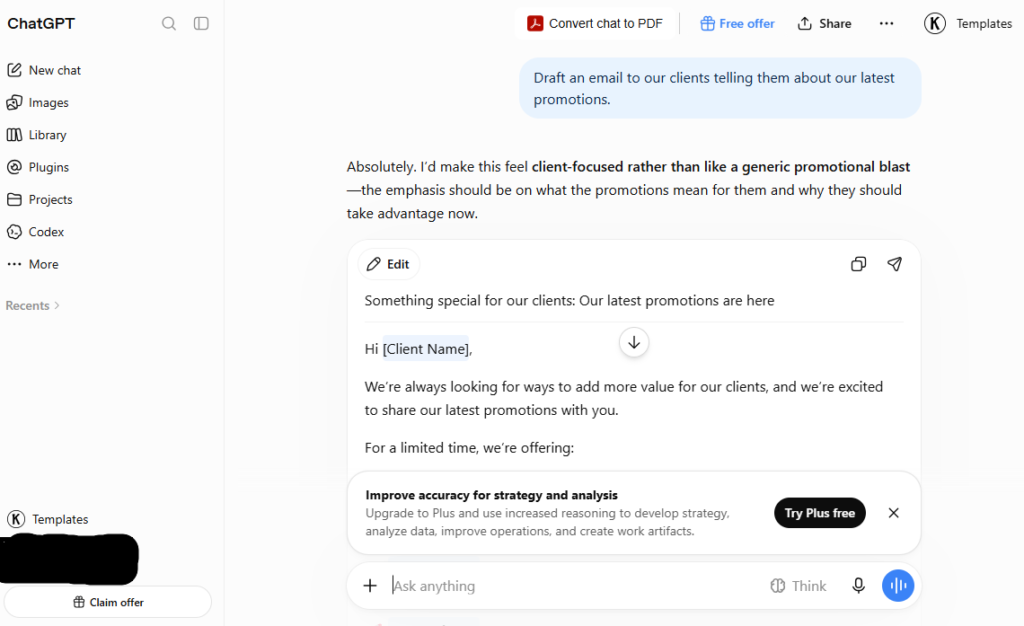
ChatGPT remains the default starting point for most remote teams, and for good reason: it drafts anything from a client email to a full blog outline, and the free tier is genuinely usable for occasional writing. Plus ($20/month) adds faster responses and more advanced features; ChatGPT Business ($25/user/month, annual) adds admin controls and keeps workspace data out of training. It’s the strongest choice if your team writes a wide variety of content types and doesn’t need brand-voice enforcement across dozens of writers.
Claude — best for long, detailed documents
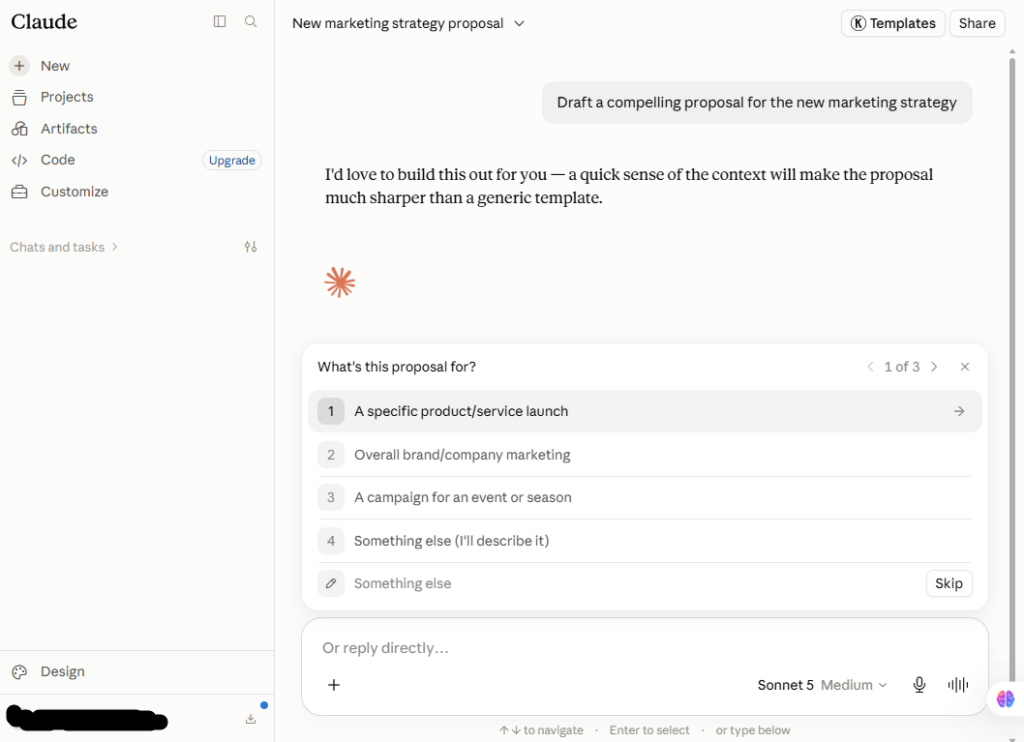
Claude’s long context window and instruction-following make it the better pick for board reports, investor updates, detailed proposals, and anything where you’re feeding in a long brief and expecting the model to actually follow every constraint in it. Free and Pro ($20/month, $17/month annual) tiers mirror ChatGPT’s pricing almost exactly, so the honest advice for most teams is to try both on a real document before picking one as the default.
Notion AI — for teams already living in Notion
If your team’s docs, wikis, and project notes already live in Notion, Notion AI writes and edits directly inside them, and its AI Agents can search across your workspace to pull in context a standalone chatbot never sees. As of 2026, Notion retired the standalone AI add-on — full AI access requires the Business plan at $20/user/month, so it’s not a great fit if your team isn’t already paying for Notion at that tier.
Jasper — brand-consistent marketing copy at scale
Jasper is purpose-built for marketing teams producing high volumes of on-brand content — blog posts, ad copy, email campaigns, product descriptions. Teams define tone, style, and terminology once, and Jasper applies it consistently across every writer using the account. Pricing now leads with the Pro tier at $69/month ($59/month annual); Business tier pricing is custom, typically $99–$125/user. Worth the spend if your bottleneck is producing brand-consistent copy at volume with more than one writer; overkill for a single-person team.
Copy.ai — built for GTM and sales workflows
Copy.ai’s differentiator is workflow automation that connects generated content directly to CRM records — useful for sales and marketing teams that need copy to land somewhere specific, not just in a chat window. The free tier covers 2,000 words/month; the Chat plan starts at $29/month, and the GTM plan is flat-rate at $249/month for up to 20 users, which can work out cheaper per seat than per-seat competitors once a team crosses a handful of writers.
Grammarly — polishing what your team already writes
Grammarly doesn’t generate content from scratch — it works across every app your team already writes in (Gmail, Docs, Slack, LinkedIn) and improves grammar, clarity, tone, and full-sentence phrasing in real time. The free tier covers grammar and spelling; Pro ($12/month annual) adds full AI rewrites and tone detection. It’s the right tool if the problem isn’t “we can’t write,” it’s “our writing is inconsistent and occasionally sloppy” — pair it with a generation tool rather than choosing between them.
Writer — for regulated or compliance-heavy teams
Writer has the strongest style-guide enforcement and terminology gating in this category, which matters most for teams in regulated industries (finance, healthcare, legal-adjacent) where “on brand” also means “compliant.” Pricing starts at $18/seat/month (annual, 5-seat minimum) — a genuinely different use case from the other tools here, and probably not worth it unless compliance is an actual requirement, not a nice-to-have.
Pricing at a Glance
| Tool | Best For | Starting Price | Free Tier? |
|---|---|---|---|
| ChatGPT | General drafting for any role | Free; Plus $20/mo, Business $25/user/mo | Yes |
| Claude | Long documents, detailed instructions | Free; Pro $20/mo ($17/mo annual) | Yes |
| Notion AI | Teams already writing inside Notion | Bundled into Business, $20/user/mo | Basic AI on Free/Plus |
| Jasper | Brand-consistent marketing copy at scale | Pro $69/mo ($59/mo annual) | No (free trial only) |
| Copy.ai | Sales/GTM workflows into CRM | Free (2,000 words/mo); GTM $249/mo flat (20 users) | Yes |
| Grammarly | Polishing writing your team already produces | Free; Pro $12/mo (annual) | Yes |
| Writer | Regulated/compliance-heavy content | Team $18/seat/mo (annual, 5-seat min) | No (demo only) |
Pricing confirmed against vendor pricing pages as of publication; AI pricing shifts often, so double-check current rates before you buy seats for a whole team.
How to Roll This Out Without Losing Your Brand Voice

The biggest risk with AI writing tools isn’t bad output — it’s inconsistent output, where every writer’s AI-assisted draft sounds slightly different from the last. A simple rollout that avoids this:
- Write down your actual style guide first — tone, banned phrases, formatting conventions — before you touch a tool. If it only lives in one person’s head, no AI tool can enforce it.
- Pilot with one team or content type for two weeks before rolling out company-wide. Writing tools fail differently than other software — the failure mode is subtle tone drift, not a broken feature.
- Keep a human edit pass on anything customer-facing. AI-assisted first drafts still need a second set of eyes, especially for tone and factual accuracy.
- Standardize on one generation tool and one editing tool per team, rather than letting everyone bring their own — that’s what actually keeps output consistent.
Frequently Asked Questions
Do I need both a generation tool and an editing tool like Grammarly?
Most teams get the most value from pairing one — a tool like ChatGPT, Claude, or Jasper for drafting, and Grammarly (or similar) as a final polish layer across every app. They solve different problems and aren’t really substitutes for each other.
Will AI-generated content hurt my site’s SEO?
Search engines don’t penalize content for being AI-assisted — they penalize content that’s low-quality, unoriginal, or unhelpful, regardless of how it was written. AI-assisted drafts that get a real edit pass, original insight, and accurate information perform the same as human-only content.
Can a free plan cover a small remote team long-term?
For occasional writing, yes — ChatGPT, Claude, Copy.ai, and Grammarly all have genuinely usable free tiers. Once you need consistent brand voice across multiple writers or higher usage limits, you’ll outgrow the free tier and need to budget for seats.
Final Takeaway
There’s no single “best” AI writing tool in 2026 — there’s a best tool for the specific writing problem your remote team actually has. Start by naming that problem (drafting from scratch, polishing existing writing, or enforcing brand voice across a team), pick one tool for it, and pilot before you roll it out company-wide. We’ll be publishing hands-on reviews of Jasper and Notion AI, plus a full comparison of Jasper vs. Copy.ai vs. ChatGPT, over the next few weeks — this page will link out to each as it goes live.