The Remote Team’s Guide to AI Meeting Tools: Transcription, Notes & Action Items in 2026
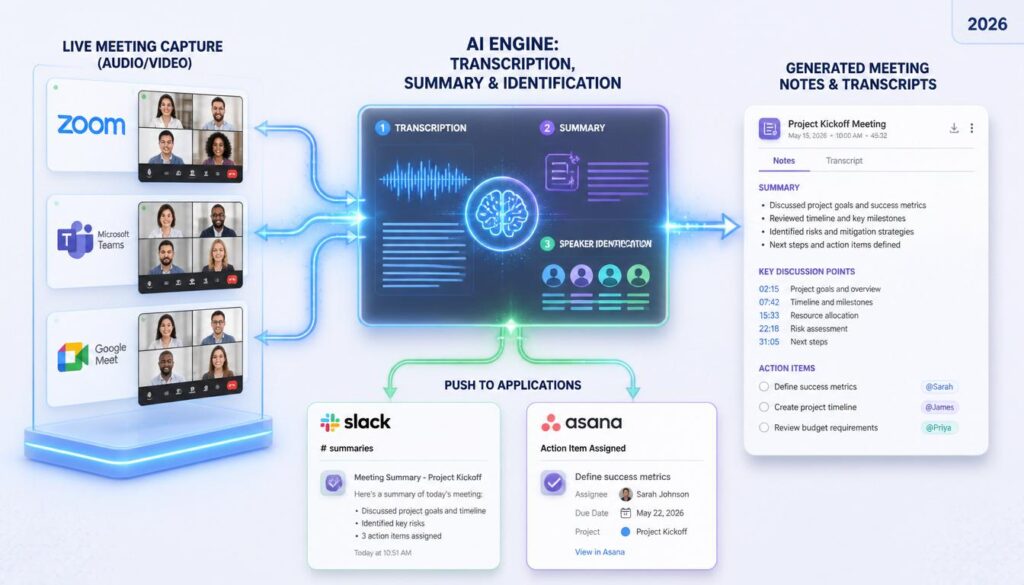
The average remote worker spends over 20 hours a week in meetings — and most of that time is spent half-listening while frantically typing notes, or worse, forgetting what was agreed on by the next standup. AI meeting tools fixed that problem for millions of remote and hybrid teams: they record, transcribe, summarize, and turn “we should probably do that” into an assigned action item with a deadline, automatically. This guide breaks down what these tools actually do, what to look for before you pick one, and how the category’s leading names — Otter.ai, Fireflies.ai, Fathom, tl;dv, and Granola — compare.
This is the first post in our AI Meeting & Communication Tools series. Over the next few weeks we’ll publish hands-on reviews of individual tools and head-to-head comparisons — bookmark this page as your starting point and we’ll link everything back here as it goes live.
Why AI Meeting Tools Matter More for Remote Teams
In an office, a missed detail gets caught in the hallway five minutes later. On a distributed team, it doesn’t — it just quietly falls through. AI meeting assistants close that gap in three concrete ways:
- Nobody has to choose between participating and note-taking. The tool listens so your team can actually think and talk in the meeting.
- Async teammates get the full context, not a summary of a summary. A searchable transcript plus a clean recap means someone in a different time zone can catch up in five minutes instead of watching a 45-minute recording.
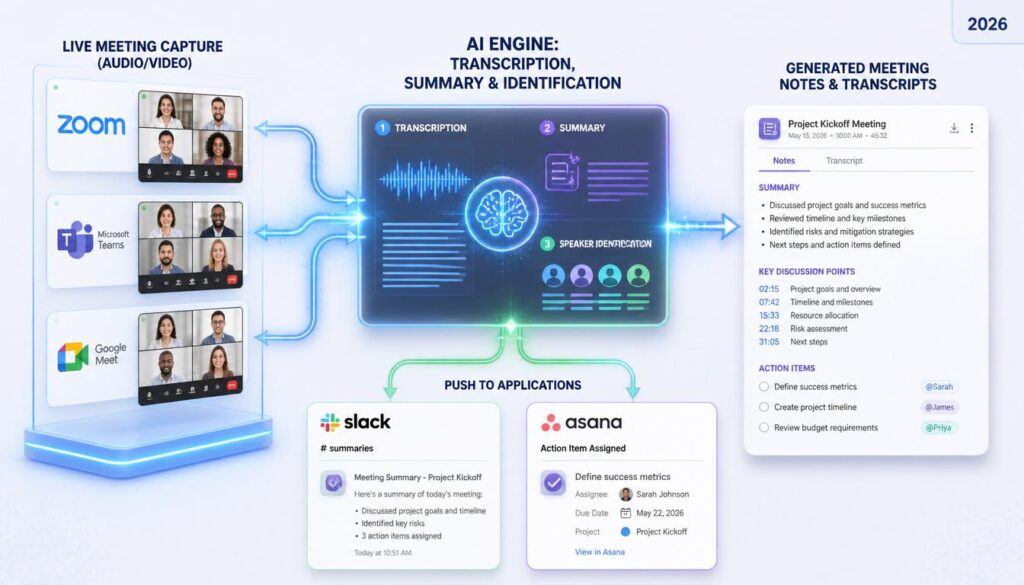
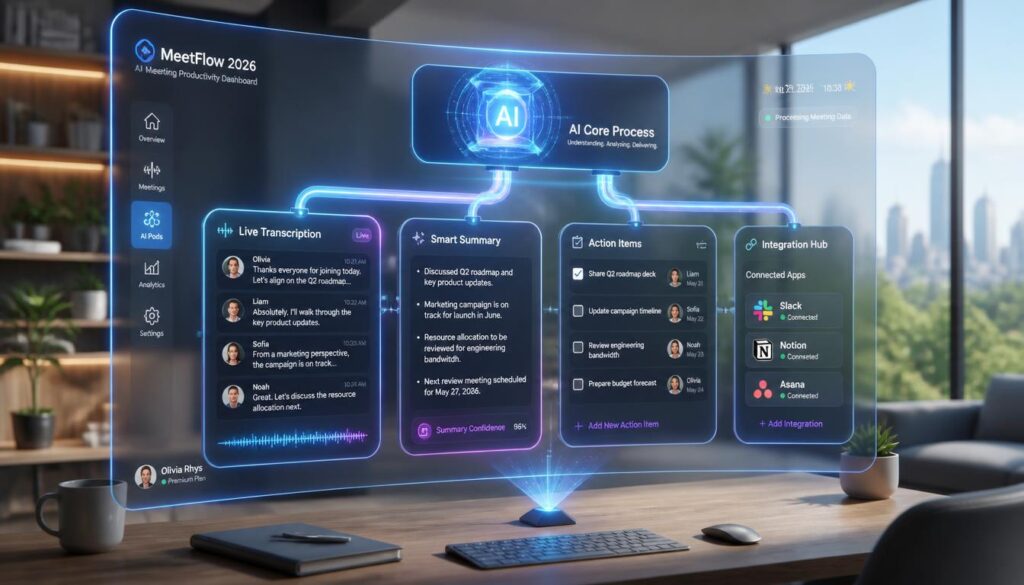
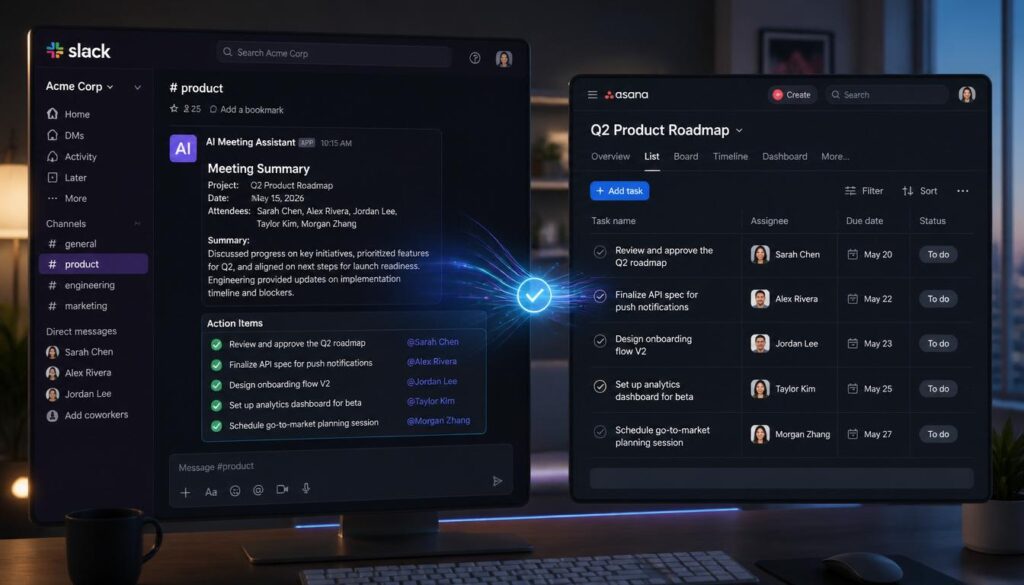
- Action items stop living only in someone’s head. Most tools now auto-detect commitments (“I’ll send that by Friday”) and can push them straight into Slack, Notion, Asana, or your CRM.
What to Look for Before You Pick One
Not every tool in this category solves the same problem. Before you commit to one, weigh it against these five criteria:
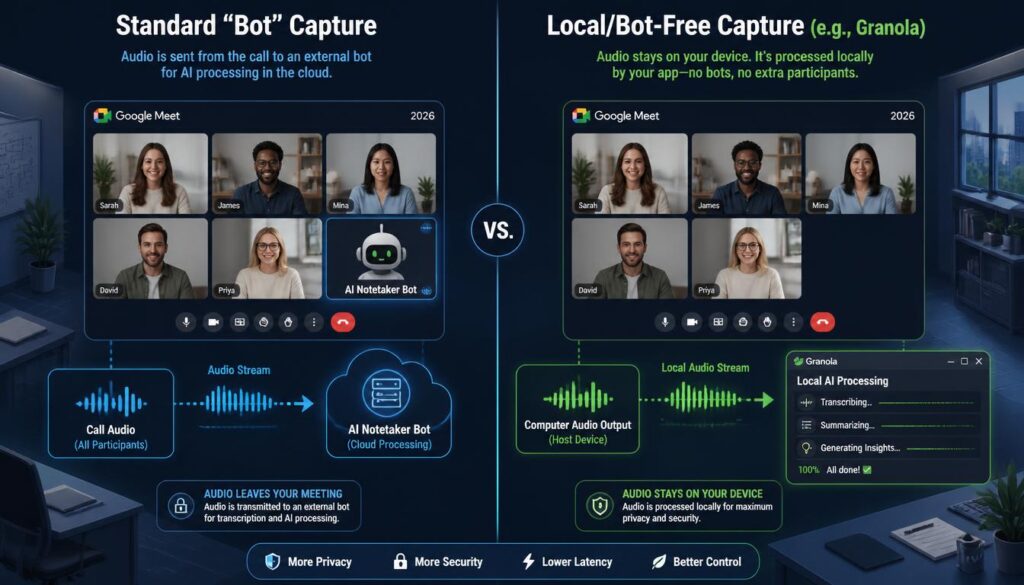
- Bot vs. bot-free capture: Most tools (Otter, Fireflies, tl;dv) join your call as a visible bot. A few (Granola) capture audio locally without a bot in the room — worth knowing if your clients or leadership are sensitive to “recording bots” showing up on calls.
- Transcription accuracy and speaker ID: Accuracy varies more than vendors admit, especially with accents, cross-talk, and technical jargon. Always test with a real meeting from your team before buying seats for everyone.
- Where the summary lives: A good summary should be genuinely skimmable — decisions, action items, and open questions clearly separated — not just a shorter wall of text.
- Integrations with your existing stack: Slack, Notion, Asana, HubSpot, and Salesforce integrations are where these tools earn their keep. Check the exact integration list, not just “yes, we integrate with your tools.”
- Pricing model: Nearly every vendor here prices per seat per month, with a usable free tier and a meaningful jump at the paid tier. Minimum seat counts on business/team plans can catch small teams off guard — check before you commit.
The Tools Worth Knowing in 2026
Here’s a fast overview of the category’s most-used tools. We’ll publish full reviews of Otter.ai and Fireflies.ai, plus a detailed comparison, in the coming weeks — this is the cheat-sheet version.
| Tool | Best For | Starting Price | Free Plan |
|---|---|---|---|
| Otter.ai | Individuals and small teams wanting reliable live transcription | ~$16.99/user/mo (Pro, annual) | Yes — 300 min/mo |
| Fireflies.ai | Sales and CS teams that live in a CRM | ~$10/user/mo (Pro, annual) | Yes |
| Fathom | Teams that want unlimited recording without paying for it | Free tier is genuinely unlimited; Premium ~$16/user/mo | Yes — unlimited recordings |
| tl;dv | Teams that share meeting clips instead of full recordings | Free tier unlimited; Pro ~$18-29/user/mo | Yes — unlimited recording/transcripts |
| Granola | Teams that want notes without a visible bot in the call | Free tier available; paid tiers vary | Yes |
Pricing changes often and most vendors offer annual discounts — always check the vendor’s current pricing page before you buy. Figures above reflect published rates as of this writing.
Otter.ai — the category’s most recognizable name
Otter built its reputation on live, accurate transcription and has since layered on AI summaries and workflow automation. It’s a strong default choice if you mainly need dependable transcripts across Zoom, Google Meet, and Microsoft Teams.
Fireflies.ai — built for teams that live in a CRM
Fireflies leans hardest into integrations — Salesforce, HubSpot, Slack, and dozens more — plus conversation intelligence features aimed at sales and customer success teams who need call insights, not just notes.
Fathom — the best free tier in the category
Fathom’s free plan includes unlimited recordings and instant summaries with no time cap, which makes it the easiest low-risk starting point for a small remote team testing the waters before paying for anything.
tl;dv — built around shareable clips
tl;dv’s standout feature is turning any moment of a meeting into a timestamped, shareable clip — useful for async updates, customer feedback highlights, or training clips without sending a full recording.
Granola — for teams wary of visible recording bots
Granola takes notes from local audio without a bot joining the call, which matters if your team (or your clients) find bot avatars showing up on video calls off-putting.
How to Roll This Out Without Disrupting Your Team
- Pilot with one team first. Run it for two weeks on your most meeting-heavy team before rolling out company-wide.
- Set a norm for the bot. Decide as a team whether recording is default-on or opt-in per meeting, and say so out loud before your first recorded call with clients.
- Connect one integration at a time. Start with Slack summaries, then add your task manager or CRM once the team trusts the transcripts.
- Review action items in your next standup. The fastest way to build trust in the tool is proving the auto-detected action items were actually accurate.
Frequently Asked Questions
Do AI meeting tools work with Zoom, Google Meet, and Microsoft Teams?
Yes — the tools covered here all support the three major platforms, though some (like Fireflies) support additional platforms and in-person/phone recording as well.
Is it legal to record meetings with an AI notetaker?
Recording consent laws vary by state and country. Most tools announce the bot’s presence automatically, but you’re still responsible for getting consent where required — when in doubt, say out loud that the meeting is being recorded before you start.
Can I use a free plan long-term instead of paying?
For a solo remote worker or very small team, yes — Fathom and tl;dv both offer genuinely usable free tiers with unlimited recording. Paid plans start to matter once you need CRM integrations, admin controls, or team-wide search.
Final Takeaway
There’s no single “best” AI meeting tool — the right pick depends on whether you’re optimizing for price (Fathom, tl;dv), CRM depth (Fireflies), transcription reliability (Otter.ai), or a bot-free experience (Granola). Start with a free plan, pilot it on your busiest team for two weeks, and only pay once you know exactly which features you’ll actually use.
Next up in this series: full reviews of Otter.ai and Fireflies.ai, plus a head-to-head comparison of the top three AI meeting assistants. Subscribe to our newsletter below to get them as soon as they’re live.