Notion AI Review: Features, Pricing, and Real-World Use Cases (2026)
Quick Verdict
- Rating: 3.8 / 5
- Best for: Remote teams already paying for Notion’s Business plan who want AI baked into the same workspace they already live in
- Pricing starts at: Notion AI itself has no standalone price anymore — full access requires the Business plan at $20/member/month (free plan: Free and Plus members get a limited trial only)
- Try it: Notion AI official page →
If your team already runs its docs, wikis, and project trackers in Notion, switching tabs to a separate AI writing tool or search app is friction you don’t need. Notion AI promises to close that gap by putting search, meeting notes, and an agent directly inside the workspace you already use. The catch for 2026: Notion has quietly restructured how you pay for it, and that changes who this tool actually makes sense for.
What Is Notion AI?
Notion AI is the built-in AI layer inside Notion, the all-in-one docs/wiki/project-management platform. Rather than a separate app, it lives inside your existing pages, databases, and tasks — writing and editing text, answering questions about your workspace, transcribing meetings, and (on higher plans) taking on multi-step tasks through an “agent.” As of 2026, Notion has moved away from selling AI as a paid add-on and instead bundles its core AI features into the Business and Enterprise plans, with Free and Plus users getting only a capped trial.
Key Features
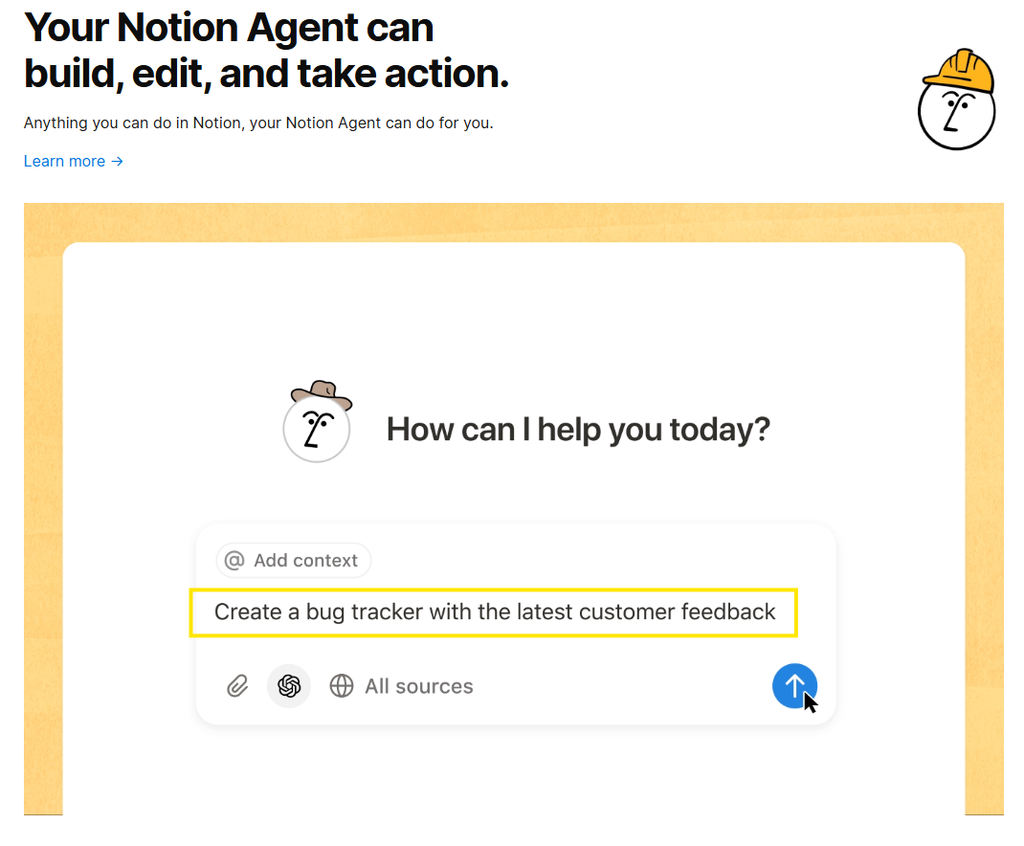
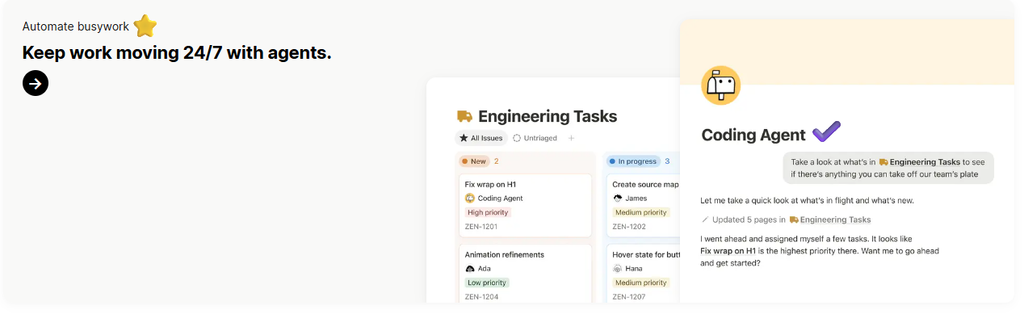
- Notion Agent: A personal AI assistant that can create and edit pages, autofill database properties, and complete multi-step tasks using context from your workspace and connected apps — available to all Business/Enterprise users at no extra charge.
- Enterprise Search: Searches across your Notion workspace and connected apps like Slack, Google Drive, and GitHub from one search bar, so you’re not hunting through five tools for one answer.
- AI Meeting Notes: Automatic transcription and summarization that works with any meeting client (no bot required) and now includes speaker labels, added in the Notion 3.6 update — output lands directly in a searchable Notion page.
- Research Mode: Drafts longer reports or briefs by pulling from your workspace, connected tools, and the open web in one pass — useful for competitive research or first-draft strategy docs.
- AI Writing & Database Autofill: Inline editing/brainstorming on any page, plus AI-suggested database structures, fields, and autofilled property values when you’re setting up a new tracker.
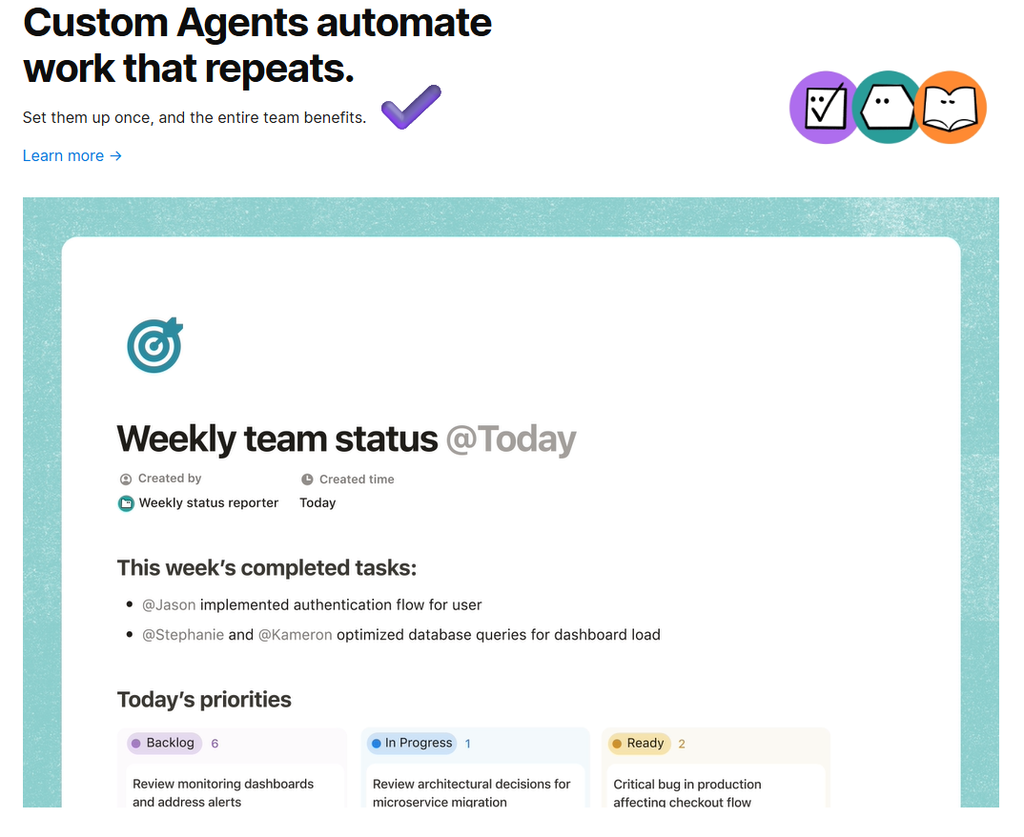
- Custom Agents (Business/Enterprise add-on): Team-wide agents that run on schedules or triggers rather than on-demand, billed separately through Notion credits ($10 per 1,000 credits/month) starting in 2026.
Pricing
This is the part that trips people up: Notion AI is no longer a per-user add-on you can bolt onto any plan. It’s gated by which Notion plan you’re already on.
| Plan | Price | Notion AI access |
|---|---|---|
| Free | $0/member/month | Limited trial responses only |
| Plus | $10/member/month | Limited trial responses only |
| Business | $20/member/month | Full access: Notion Agent, AI Meeting Notes, Enterprise Search, Research Mode |
| Enterprise | Custom pricing | Everything in Business, plus zero data retention with LLM providers |
Custom Agents (the team-wide, scheduled kind, as opposed to the on-demand Notion Agent everyone gets) are billed on top of Business/Enterprise through Notion credits at $10 per 1,000 credits per month — a metered cost that scales with how much automation you actually run. Prices confirmed directly on Notion’s pricing page as of August 2026.
Pros and Cons
✅ Pros
- No context-switching — search, writing, and meeting notes happen inside the same workspace where your docs and tasks already live
- Enterprise Search genuinely saves time once you’ve connected Slack/Drive/GitHub — one search bar instead of five
- AI Meeting Notes with speaker labels is a real replacement for a standalone transcription tool if you’re already a Notion shop
❌ Cons
- Can’t buy full Notion AI on its own anymore — you must upgrade the whole team to the $20/member/month Business plan first
- Custom Agents add a second, metered cost (Notion credits) on top of the seat price if you want scheduled/triggered automation
- Free/Plus users get such a limited trial that it’s hard to evaluate the real feature set before committing to Business
Who It’s For
Notion AI makes the most sense for remote teams and small agencies that have already standardized on Notion for docs, wikis, and project tracking and are willing to move the whole workspace to the Business tier. If your team already needs Business-plan features like granular permissions or SAML SSO, the AI features are effectively a free upgrade. It’s a weaker fit for solo operators or small teams on Notion’s Free or Plus plan who just want an AI writing assistant — you’ll pay for a full plan upgrade to unlock more than a trial.

Alternatives to Consider
- ChatGPT Plus/Business — a cheaper, tool-agnostic writing and research assistant if you don’t need it embedded in your workspace docs.
- Fireflies.ai or Otter.ai — dedicated meeting transcription tools worth a look if AI Meeting Notes is the only Notion AI feature you actually want, without upgrading your whole Notion plan.
- ClickUp Brain — a comparable “AI baked into your project management tool” approach, worth comparing if you haven’t committed to Notion specifically yet.
Frequently Asked Questions
How does Notion AI work?
Notion AI is built directly into your existing Notion pages and databases rather than living in a separate app. It reads context from the page you’re on (and, with Enterprise Search, from connected apps like Slack and Google Drive) to answer questions, draft or edit text inline, summarize meetings, and autofill database properties. The newer Notion Agent goes a step further and can complete multi-step tasks — creating pages, updating records, or running scheduled Custom Agents — using that same workspace context, all without leaving Notion.
Does Notion use AI?
Yes. Notion AI has been part of the platform since 2023, and as of 2026 it’s built into the core product rather than sold as a standalone add-on. Free and Plus plans get a capped trial of the AI features, while full, unlimited access — including Notion Agent, Enterprise Search, and AI Meeting Notes — requires the Business plan or higher.
Is Notion AI worth it?
It depends on where your team already lives. If you’re already paying for Notion’s Business plan to run docs, wikis, and project trackers, Notion AI is effectively a free upgrade that saves you from bolting on a separate AI writing or search tool. If you’re not already a Notion Business customer, it’s a harder sell — you’d be paying $20/member/month largely to unlock the AI layer, and a dedicated tool like ChatGPT (for writing) or Fireflies.ai/Otter.ai (for meeting notes) may be cheaper for that single use case. See our Otter vs Fireflies vs Fathom comparison if meeting notes are your main driver.
What is Notion AI used for?
The most common uses are inline writing and editing on any page, searching across your workspace and connected apps from one bar, transcribing and summarizing meetings, drafting longer research briefs, and auto-structuring or autofilling databases when you set up a new tracker. Teams that also use dedicated AI writing tools like Jasper tend to keep Notion AI for workspace-native tasks and reach for the standalone tool for long-form content production.
Notion AI Review: What’s the Bottom Line?
Short answer: yes, Notion AI is worth it if your team is already committed to Notion’s Business plan for docs, wikis, and project tracking — the Agent, Enterprise Search, and AI Meeting Notes are strong included features at that tier, which is why it earns 3.8/5 in our testing. It’s a weaker pick as a standalone AI purchase if you’re not already a Notion Business customer, since $20/member/month buys workspace-wide AI rather than one best-in-class tool. If you want a second opinion on a dedicated AI writing tool instead, see our Jasper AI review.
Final Verdict
Notion AI in 2026 is genuinely useful — but it’s now a Business-plan feature, not a standalone product. If your team is already on or headed toward Notion Business, the built-in agent, meeting notes, and cross-app search are a strong value-add worth 3.8/5. If you’re on Notion’s Free or Plus plan hoping to add AI cheaply, this isn’t that tool anymore — budget for the full plan upgrade, or look at a dedicated AI tool instead.
Disclosure: This review is based on Notion’s publicly published pricing and product documentation as of August 2026, not a paid partnership.