Quick Verdict
- Rating: 4.2 / 5
- Best for: Remote workers and small teams whose calendars get eaten by meetings and who want deep work, habits, and 1:1s defended automatically — not solo users who just want a simple booking link
- Pricing starts at: $0/month (free Lite plan for 1 user; paid plans start at $10/seat/month billed annually, $12 billed monthly)
- Try it: Reclaim.ai official site →
Every remote worker knows the feeling: you block off “deep work” on your calendar Monday morning with the best intentions, and by Wednesday three meetings have quietly eaten straight through it. Reclaim.ai’s pitch is that it will defend that block for you — automatically, every week, without you having to fight for it in every meeting invite. We dug into what it actually does, what it costs, and where it falls short.
What Is Reclaim.ai?
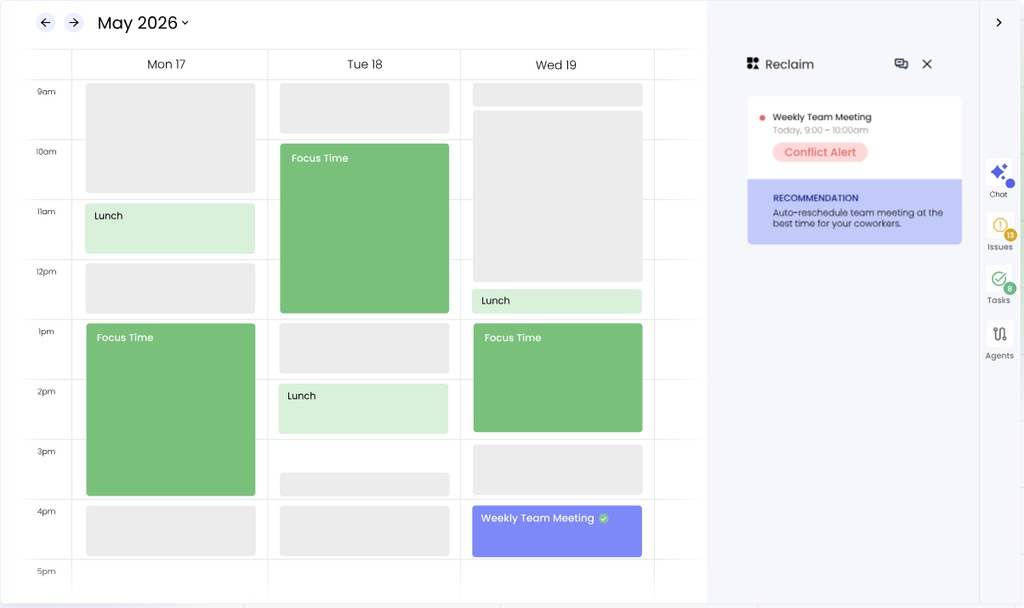
Reclaim.ai is an AI calendar assistant, founded in 2019 by former Atlassian and New Relic product leads, that sits on top of Google Calendar (with Outlook support still in beta) rather than replacing it. Instead of asking you to move your whole workflow into a new app, Reclaim reads your existing calendar and layers three kinds of defendable events on top: Habits (recurring personal time blocks like focus time or a workout), Smart 1:1s (recurring meetings that auto-reschedule around conflicts), and Tasks (deadline-driven to-dos that get auto-scheduled into open slots). When a new meeting request threatens one of those blocks, Reclaim moves the block instead of letting it get silently overwritten — that’s the core mechanic the whole product is built around.
Key Features
- Habits: Recurring personal time blocks (deep work, lunch, exercise) that defend themselves against meeting requests up to a priority level you set, and reflow elsewhere on your calendar rather than just getting booked over.
- Smart Tasks: Add a task with a deadline and estimated duration; Reclaim finds an open slot and reshuffles it automatically as your day changes. Syncs with Todoist, Asana, ClickUp, and Jira on paid plans.
- Smart 1:1s: Auto-schedules recurring one-on-ones between two people and reschedules them when either side has a conflict, instead of leaving a gap or requiring manual back-and-forth.
- AI Scheduling Links: A Calendly-style booking page for external meetings that respects your Habits and focus time, so an external booker can’t accidentally take a protected block.
- Buffer Time and Calendar Sync: Automatically inserts breathing room before/after meetings and keeps multiple calendars (work, personal, across Google and Outlook) in sync so nothing double-books.
Pricing
| Plan | Price | Best For |
|---|---|---|
| Lite | $0 (free forever, 1 user) | Individuals with a fairly simple calendar who just want Habits and basic focus-time defense |
| Starter | $10/seat/mo billed annually ($12 billed monthly) | Small teams up to 10 seats who want task integrations, No-Meeting Days, and an 8-week scheduling range |
| Business | $15/seat/mo billed annually ($18 billed monthly) | Teams up to 100 seats who want unlimited Scheduling Links, Team OOO Calendar, and delegated access |
| Enterprise | $22/seat/mo billed annually (100+ seats) | Larger orgs needing SSO/SCIM, org-chart-aware scheduling, and dedicated support |
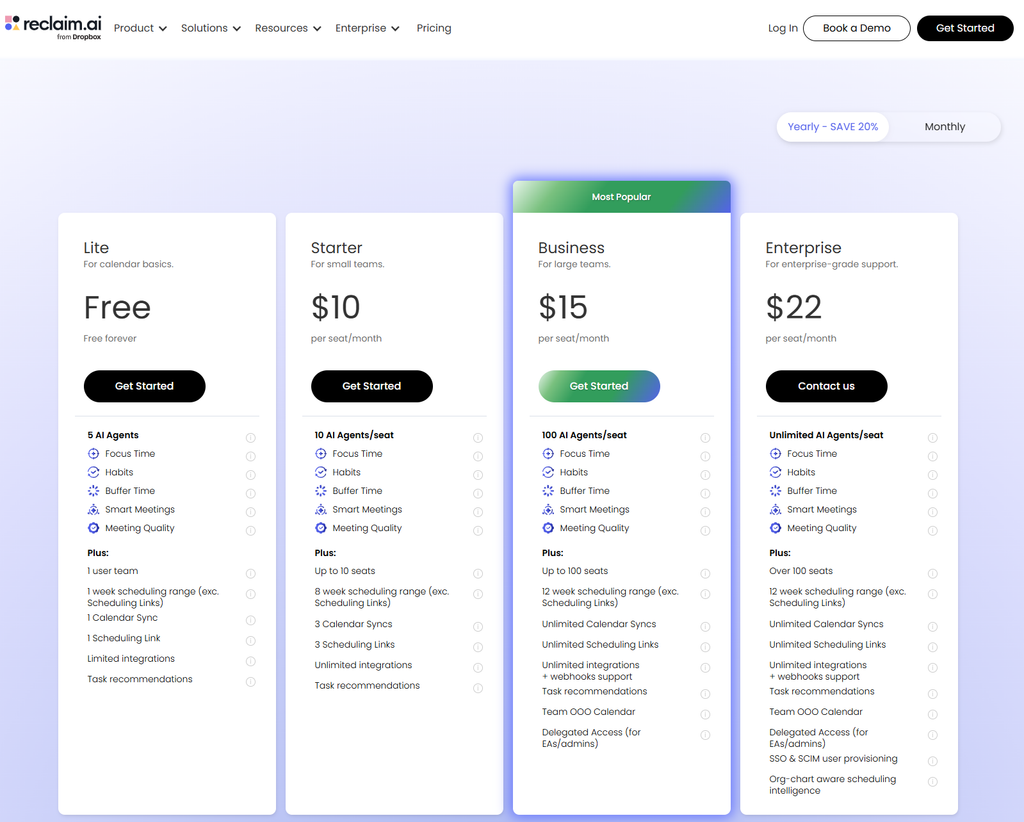
One detail worth flagging: the free Lite plan caps you at one Habit, one Scheduling Link, one connected calendar sync, and a one-week scheduling range — workable for a very light calendar, but most remote workers with a genuinely busy week will hit those ceilings within the first month and need Starter to get real value out of the product.
Black Friday / Cyber Monday note: Reclaim.ai doesn’t have a public track record of running a dedicated Black Friday or Cyber Monday sale. Its standing discounts are a 29% cut for billing annually instead of monthly, plus 20%-off programs for startups, nonprofits, and teams switching from a competitor (each good for 6 months to 3 years, per Reclaim’s own pricing pages). If a seasonal deal shows up this year, it’ll appear at reclaim.ai/pricing; until then, annual billing is the most reliable way to lower the $10/seat/month Starter price.
Pros and Cons

✅ Pros
- Habit protection is genuinely the best-in-class version of this feature — it reflows blocks instead of just letting meetings overwrite them
- Works inside your existing Google Calendar rather than asking you to adopt a whole new interface, which makes team rollout low-friction
- Generous, permanently free Lite plan for individuals with lighter calendars, no credit card required
❌ Cons
- Free plan’s one-week scheduling range and single Habit limit are too tight for anyone with a genuinely busy calendar
- Outlook support is still in beta and noticeably behind the Google Calendar integration
- Task scheduling is solid but shallower than Motion’s when tasks have dependencies on each other — better thought of as calendar defense than project management
Who It’s For
Reclaim is the right fit for remote workers and small teams whose calendars get consumed by meetings and recurring 1:1s, and who want deep work and personal commitments defended without manually fighting for the time every week. It’s a weaker fit if you need serious Outlook support today, if your main problem is complex task dependencies rather than calendar protection, or if you just want a simple external booking link and nothing more — a plain Calendly free plan will do that with less setup.

Alternatives to Consider
- Motion — a more aggressive, task-first AI calendar that rebuilds your whole day around deadlines rather than defending recurring blocks; better for heavy task-jugglers, less predictable day to day. We review it in detail in an upcoming post.
- Calendly — a simpler, cheaper, booking-link-only tool for teams that just need external scheduling and don’t need Habit/focus-time defense at all.
- Clockwise — was a direct competitor with a similar focus-time-defense pitch, but shut down in March 2026 after its founding team was acquihired by Salesforce; Clockwise directed its customers to migrate to Reclaim with price matching, so it’s no longer a live alternative.
Final Verdict
Reclaim.ai does the one thing most calendar tools don’t bother with — actually defending your focus time and recurring commitments instead of just letting the next meeting invite win — and it does it without forcing you off Google Calendar. The free plan is a fair way to try the core idea, but most remote workers with a real workload will outgrow it within a month and need the $10/seat Starter plan to get the full picture. For meeting-heavy, habit-and-1:1-heavy knowledge workers, it’s a 4.2/5 and worth adopting; for Outlook-first teams or people who mainly need task-dependency planning, it’s worth comparing against Motion first.
Disclosure: This review is based on Reclaim.ai’s publicly available pricing and feature documentation as of September 2026, not a paid partnership.
FAQ
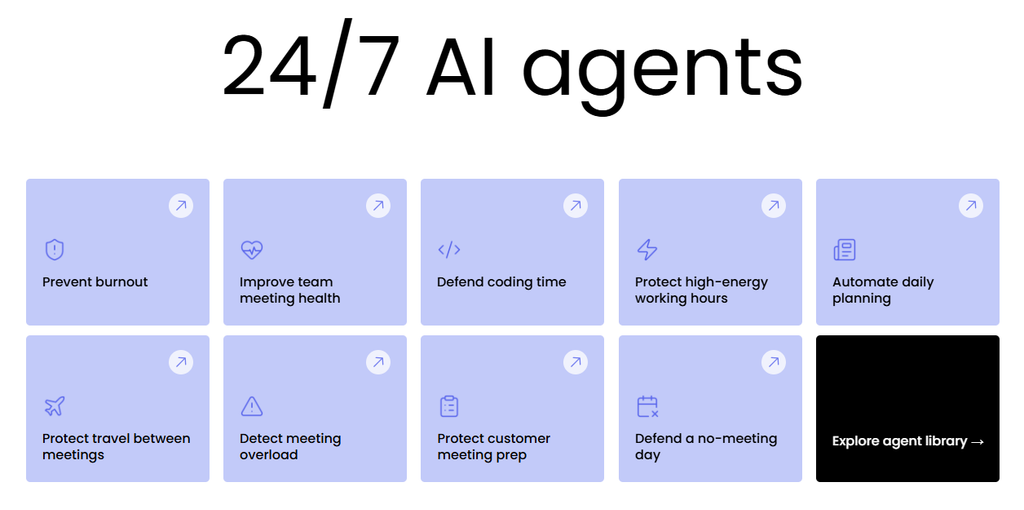
- Is Reclaim.ai free? Yes — the Lite plan is free forever for a single user, with 5 AI Agents, 1 connected calendar sync, 1 Scheduling Link, and a 1-week scheduling range. Paid plans start at $10/seat/month billed annually for teams that need more range and integrations.
- Does Reclaim.ai work with Outlook? Yes, but Outlook support launched more recently and is noticeably behind the Google Calendar integration in feature depth as of this review.
- How is Reclaim different from Motion? Reclaim defends recurring Habits, 1:1s, and focus time around your existing calendar; Motion is more task-first and will aggressively rebuild your whole day when priorities shift. We compare both directly against Calendly in an upcoming post.