Make (formerly Integromat) Review: Features, Pricing, and Learning Curve
Quick Verdict
- Rating: 4.4 / 5
- Best for: Ops managers and small agencies who need complex, branching workflows and are willing to trade a bit of setup time for lower cost at scale
- Pricing starts at: $0/month (free plan: yes — 1,000 operations/month); paid plans from $12/month billed annually
- Try it: Make official site →
If you’ve outgrown Zapier’s simple trigger-then-action Zaps but don’t want to write code, Make (formerly Integromat) is the tool most remote ops teams land on next. It handles branching logic, error handling, and high-volume workflows that Zapier struggles with — for a fraction of the price. The trade-off is a real learning curve: Make’s visual canvas is more powerful, but it’s not something you’ll master in your first ten minutes.
What Is Make?
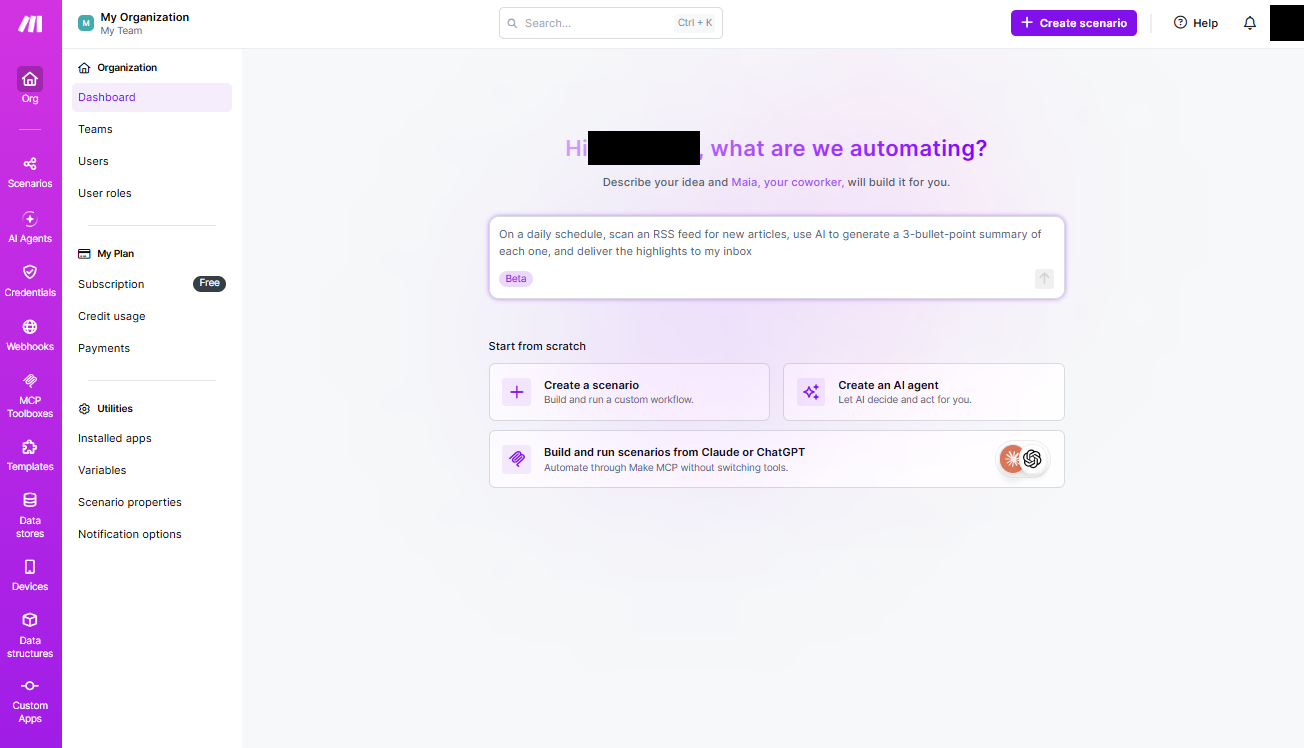
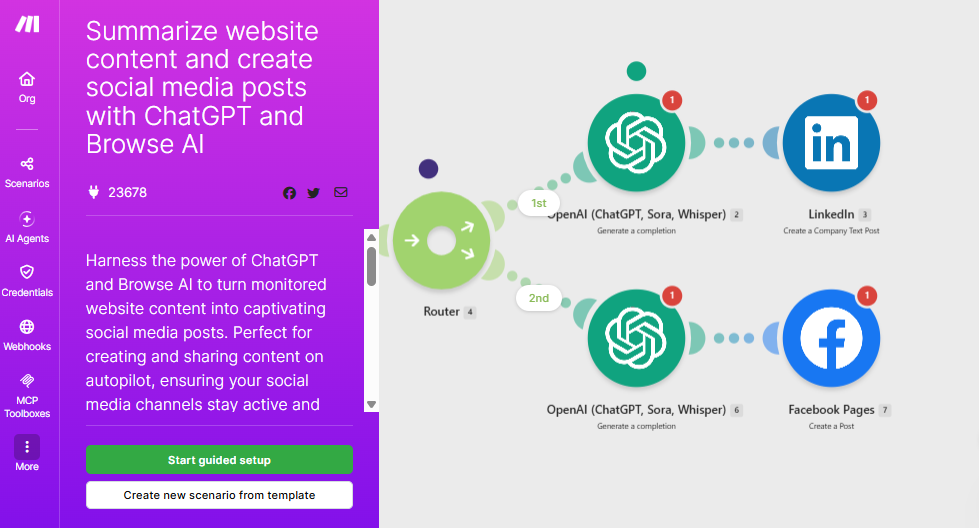
Make is a visual, no-code automation platform (rebranded from Integromat in 2022) that connects over 3,000 apps and lets you build multi-step workflows called “scenarios.” Instead of Zapier’s linear one-trigger-one-action chain, Make uses a drag-and-drop canvas where you can branch a single trigger into multiple paths, loop over arrays of data, filter which records continue, and merge results back together — all without leaving the visual builder. It’s built for remote teams and ops managers who need automation that mirrors real-world business logic, not just simple if-this-then-that chains.
Key Features
- Visual scenario builder: Drag modules onto a canvas and connect them visually, so you can see the entire data flow (and every branch) of a workflow at a glance — much easier to debug than a linear list of steps.
- Routers, filters, and iterators: Split one trigger into multiple parallel paths, add conditions that stop a branch unless criteria are met, and process arrays item-by-item (50 records in, 50 individual runs out) — the core toolkit for genuinely complex ops workflows.
- Error handlers: Catch a failure at any point in a scenario and route it to a retry, a fallback path, or a Slack alert instead of letting the whole automation silently die.
- Built-in AI tools: Native AI Agents (beta), an AI Content Extractor for pulling structured data out of files, and an MCP Server so external AI systems can trigger and read your scenarios directly.
- Custom variables and full-text log search: Store and reuse values across scenarios, and search execution history in detail when something breaks three steps deep in a workflow — a real time-saver for troubleshooting.
Pricing
Make prices by “credits” (one credit per module action) rather than Zapier’s per-Zap “tasks,” and every plan starts at a 10,000-credit base once you’re past Free — you can scale credits up from there on any paid tier. Prices below are the per-month rate when billed annually; paying month-to-month runs roughly 30-40% higher.
| Plan | Price (billed annually) | Best For |
|---|---|---|
| Free | $0/mo — 1,000 credits, 2 active scenarios, 15-min minimum interval | Testing the platform with a single simple scenario |
| Core | $12/mo — 10,000 credits, unlimited active scenarios | Solo operators automating a handful of real workflows |
| Pro | $21/mo — 10,000 credits, priority execution, custom variables | Ops managers running scenarios that need reliable, fast execution |
| Teams | $38/mo — 10,000 credits, team roles, shared templates | Small agencies collaborating on shared automations |
| Enterprise | Custom pricing | Organizations needing SLAs, on-prem agents, and dedicated support |
Credit volume on every paid tier is adjustable via a slider — you can scale a Core plan up to millions of credits/month if you need the volume without upgrading to Pro or Teams for their extra features.
Pros and Cons
✅ Pros
- Dramatically cheaper than Zapier at real-world volume — Make’s paid plans start at $12/mo vs. Zapier’s $19.99/mo for a fraction of the operations
- Visual canvas makes branching, looping, and error-handling logic far easier to build and debug than a linear step list
- Strong native AI tooling (AI Agents, Content Extractor, MCP Server) built directly into scenarios
❌ Cons
- Real learning curve — expect a few hours to get comfortable with modules, routers, and iterators before you’re building confidently
- Fewer pre-built app integrations than Zapier (roughly 3,000 vs. 8,000), so niche tools may need a generic HTTP/webhook module instead of a native connector
- Large, deeply nested scenarios need careful design — it’s easy to build something powerful that’s hard for a teammate to read later
Who It’s For
Make is the right fit for ops managers and small agencies whose workflows have outgrown Zapier’s simple one-trigger-one-action model — think onboarding flows with multiple decision branches, data pipelines that need filtering and looping, or anything that needs a fallback path when a step fails. It’s less appealing for a solo operator who just wants “when X happens, do Y” with zero setup friction; that’s still Zapier’s home turf.
Alternatives to Consider
- Zapier — simpler linear builder, far more native app integrations, and you can be running your first automation in ten minutes, but it costs more per operation at scale and struggles with complex branching logic.
- Power Automate — Microsoft’s automation tool, bundled into many Microsoft 365 plans, so it’s often the cheapest option for teams already paying for Microsoft 365 — but it’s most powerful inside the Microsoft ecosystem and less flexible connecting outside tools.
- n8n — open-source and self-hostable, which means no per-operation billing at all if you’re comfortable running your own server, but that trade-off means more technical setup than either Make or Zapier.
Final Verdict
Make earns a 4.4/5: it’s the strongest choice in 2026 for remote teams that need real workflow logic — branching, looping, error handling — at a price that scales far more gracefully than Zapier’s. The visual canvas takes longer to learn, and you’ll hit a few “JSON,” “webhook,” and “iterator” concepts that beginners find intimidating at first. But for an ops manager willing to invest a few hours upfront, Make pays that time back many times over in what it can automate.
Disclosure: This review is based on Make’s published pricing and features as of September 2026, plus independent testing and comparison data from multiple 2026 reviews. No affiliate relationship currently exists with Make.